

How to Check Your Canadian Immigration Application Status: Start With the Right System
You track an immigration file in Canada by using the system tied to your submission method and program. An application submitted through an IRCC online account is usually checked inside that IRCC account, while a passport or document sent through a Canada Visa Application Centre is usually tracked through the VAC system for movement updates, not full decision details.
You check online application status Canada most accurately when you separate three tools: an IRCC account, a program-specific tracker, and VAC tracking. Those tools do not show the same thing. IRCC tools usually show processing updates on the file itself. VAC tracking usually shows document or passport movement through the centre.
You should not assume silence means refusal. IRCC systems can show sparse updates, and wording varies by stream. A file can move internally even when the front-end status stays unchanged.
Which Tracker Should You Use? IRCC Account vs Application Tracker vs VAC Tracking
You should use the tracker that matches both your program and your submission path. If you applied online directly with IRCC, start in your IRCC account. If your stream has a dedicated tracker, such as a citizenship application tracker or a PR status tracker where available, use that official tool. If you handed in a passport or package through a VAC, use VAC tracking for the package, not for a full legal decision history.
| Tool | Best for | What it usually shows | What you usually need | Main limit |
|---|---|---|---|---|
| IRCC online account | Online applications filed through IRCC | Messages, document requests, basic status updates | Login credentials and file details | It may not show every internal stage |
| Program-specific tracker | Streams with a dedicated tracker, such as PR or citizenship where available | More stream-specific milestones | Tracker login details and personal identifiers | Not every stream has one |
| Client application status or legacy status tool | Some streams that still use status lookup tools | Basic case status wording | Personal details plus file identifiers | Coverage depends on stream |
| VAC tracking | Passports or documents handled by a Visa Application Centre | Package movement and handoff updates | Tracking ID and personal details if required by that centre | It does not replace IRCC processing status |
The IRCC tracker login is not one universal doorway for every application type. That is where people get stuck. A citizenship application tracker Canada login may exist for that stream, while another stream may rely on an IRCC account or a different client application status tool.
VAC tracking answers a narrower problem. It helps when you ask, can I track my Visa application process after a passport or package moved through VFS Global or another Canada Visa Application Centre. It usually tells you where the passport or documents are in the handling chain, not why IRCC made a decision.
Step by Step: How to Check Status on IRCC
You check status on IRCC by signing into the same official system tied to your file and then opening the application details or messages area. For most online applicants, that means the original IRCC account used for submission. For some streams, it means a program-specific status tool instead.
You need your personal details exactly as they were filed. That includes name spelling, date of birth format, passport details if used in the application, and family information entered on the forms. A mismatch in one field can block access even when the file exists.
You can sometimes check IRCC application status with application number, but the exact tool decides that. Some systems ask for an application number plus personal identifiers. Some rely on a UCI and other matching details. Some require a full IRCC tracker login rather than a simple number search.
You should look for updates in more than one place inside the IRCC system. Status wording may appear on the application summary page, while a real action item appears in a message, letter, or document request section. I have seen the same pattern in bureaucratic systems for years. The visible label lags behind the real task.
You should troubleshoot failed access by checking three things first: duplicate accounts, data-entry mismatch, and the wrong tracker. If you used a representative, the file may be tied to that submission setup. If you filed on paper, the file may not be linkable right away.
Step by Step: How to Track an Application or Passport Through a VAC

You use VAC tracking when a Canada Visa Application Centre handled your passport or package. That usually applies after biometrics appointments, passport submission, or document handling through a centre operated for Canada visa services.
You usually need the Tracking ID issued by the VAC and the personal details requested by that centre’s tracking page. The exact fields depend on the centre and provider, so use the instructions on that specific VAC page instead of guessing from another country or another year.
VAC tracking shows movement facts, not a legal assessment of the file. A status may show that the passport reached the VAC, moved to or from the visa office, or is ready for collection or delivery. It usually does not explain eligibility review, background review, or refusal reasons.
You should not read a VAC movement update as an approval signal. A passport can move because a decision was made, but the decision details normally come through IRCC correspondence or the formal return package.
What Your Canadian Immigration Status Messages Mean
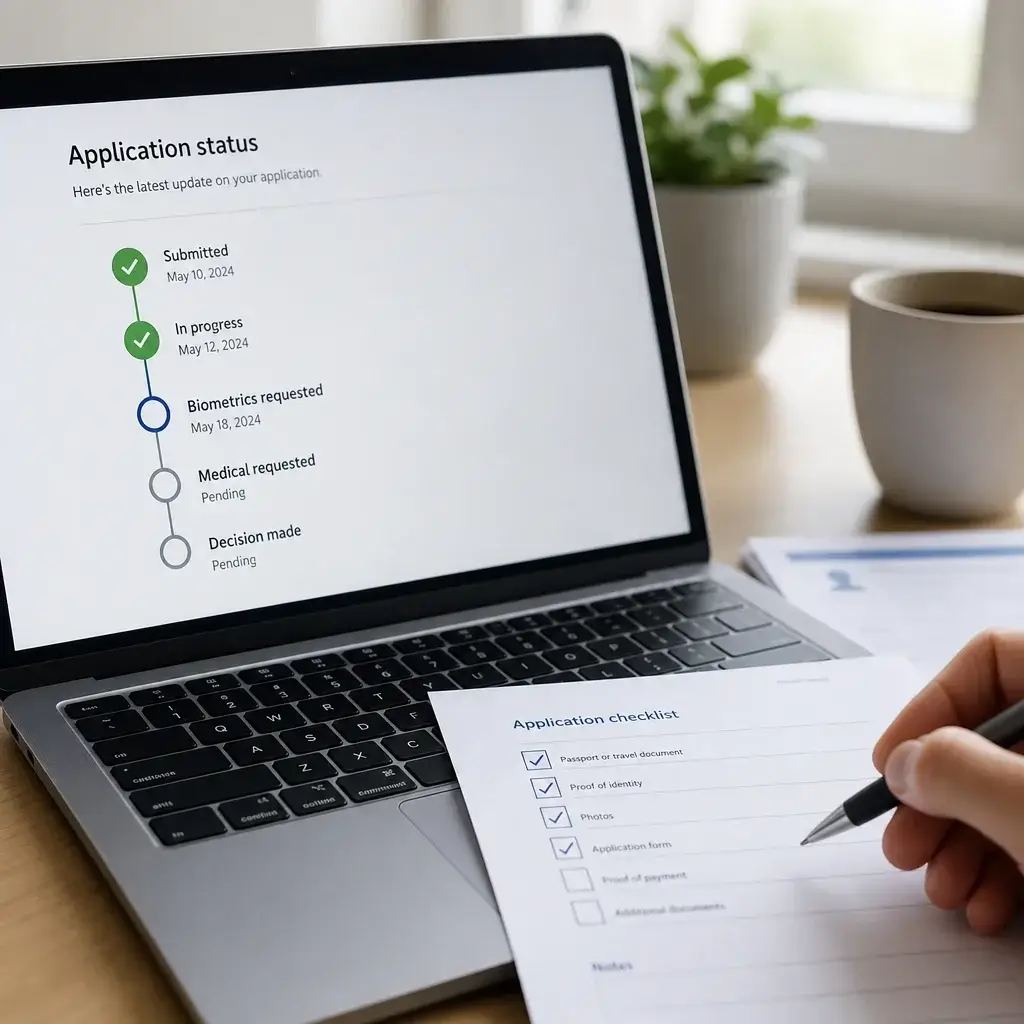
Immigration statuses in Canada are labels used by IRCC systems to describe where a file sits in the process, but those labels are not identical across all streams. The same file may show different wording in an IRCC account, a PR tracker, a citizenship tracker, or an older client application status tool.
Submitted or received usually means IRCC has the application or transmission in the system. It does not mean the file passed completeness review. It means the intake step happened.
In progress usually means the file is under active processing in at least one part of the system. It does not tell you which exact officer task is happening. This is one of the broadest status labels in Canadian immigration application status tools.
Reviewing eligibility usually means IRCC is assessing whether the application appears to meet the rules of that program. For a family file, that can involve relationship evidence. For a work or study file, that can involve purpose, documents, and admissibility-linked facts.
Background check usually means security, criminality, or related verifications are in play, but front-end status messages rarely show the exact sub-stage. You should not try to decode this label too precisely from a tracker alone.
Biometrics requested means IRCC has asked you to give fingerprints and a photo through the required process. Biometrics received usually means those results were linked to the file. A tracker may show one before another tool updates.
Medical requested means an immigration medical exam is required for that stream or case. Medical passed usually means the medical assessment on file is acceptable for processing purposes.
Additional documents requested means IRCC needs more evidence before moving forward. The next step is not to refresh the tracker all day. The next step is to open the message, read the request exactly, and respond correctly and on time.
Decision made, approved, refused, or closed are outcome-facing labels, but they still need context. Approved usually means the application succeeded subject to the next issuance step. Refused means a negative decision was made and the reasons should appear in a letter or notice. Closed can mean different procedural endpoints depending on the stream.
Passport request usually means IRCC needs the passport or passport copy process for visa issuance or related finalization in the streams where that step applies. It is not the same thing as final landing or full status in Canada.
| Status wording | What it usually means | What you should do next |
|---|---|---|
| Submitted / Received | File entered the system | Keep confirmation records and monitor messages |
| In progress | Processing is underway somewhere in the file | Wait, but watch for requests |
| Reviewing eligibility | Program requirements are being assessed | Ensure no requested evidence is missing |
| Background check | Verifications are ongoing | Avoid speculation and monitor notices |
| Biometrics requested | You need to complete biometrics | Follow the instruction letter exactly |
| Biometrics received | Biometrics are linked to the file | Keep monitoring for the next step |
| Medical requested | Immigration medical exam is needed | Book and complete the exam as instructed |
| Medical passed | Medical requirement appears satisfied | Wait for further processing |
| Additional documents requested | IRCC needs more proof or clarification | Submit complete documents on time |
| Decision made | A formal decision exists | Check for the actual decision letter |
| Approved | File succeeded, pending final issuance steps if any | Follow post-approval instructions |
| Refused | File was not approved | Read refusal reasons and assess next steps |
| Passport request | Passport handling is needed in that stream | Follow passport submission instructions carefully |
What to Do If You Cannot Find Your UCI or Application Number

A UCI is a Unique Client Identifier used by IRCC to identify you across interactions with the system. An application number identifies one specific file. One person can have one UCI linked to multiple applications over time.
You can often find your UCI or application number in an acknowledgement email, a submission confirmation, an IRCC letter, a past permit or visa document, or the online account where you filed. If you ever dealt with IRCC before, an older document may still carry the same UCI.
You should check junk and spam folders before assuming the number was never sent. I keep records because one lost reference can waste a week. Immigration files punish messy paperwork in the same way weak hive records punish spring management.
You cannot rely on one identifier for every status tool. Some systems accept an application number with matching personal information. Some ask for a UCI. Some require a full account sign-in and do not work as a stand-alone IRCC application status tracker with application number.
If you truly cannot locate the number, use official IRCC help pathways tied to your stream and avoid third-party lookup offers. The safe path is the official account, official help page, or official status enquiry route for that application type.
How to Link a Paper Application to an Online IRCC Account

You link a paper application to an online IRCC account by using the account’s linking function and entering the file details exactly as IRCC has them. Not every paper application can be linked in the same way, and some streams have their own rules or timing.
You should wait until the file exists in IRCC’s system before trying again and again. A paper package normally needs intake and record creation before online linking can work. If you try too early, you may only generate mismatch errors.
You improve linking success by matching the original forms exactly. Use the same name format, place of birth format, passport details, number of family members counted the same way, and the same marital or family information shown on the paper application.
You should not treat one mismatch screen as proof that IRCC lost the file. Repeated failure can come from small data-entry differences, including hyphens, middle names, accent marks, old passport data, or family count errors.
You should seek legal help when repeated linking failure comes with a real deadline or missing correspondence. That matters most where a medical request, work authorization issue, sponsorship complication, or dependent child problem may be sitting unseen behind the login problem.
How Long Status Updates Usually Take to Appear
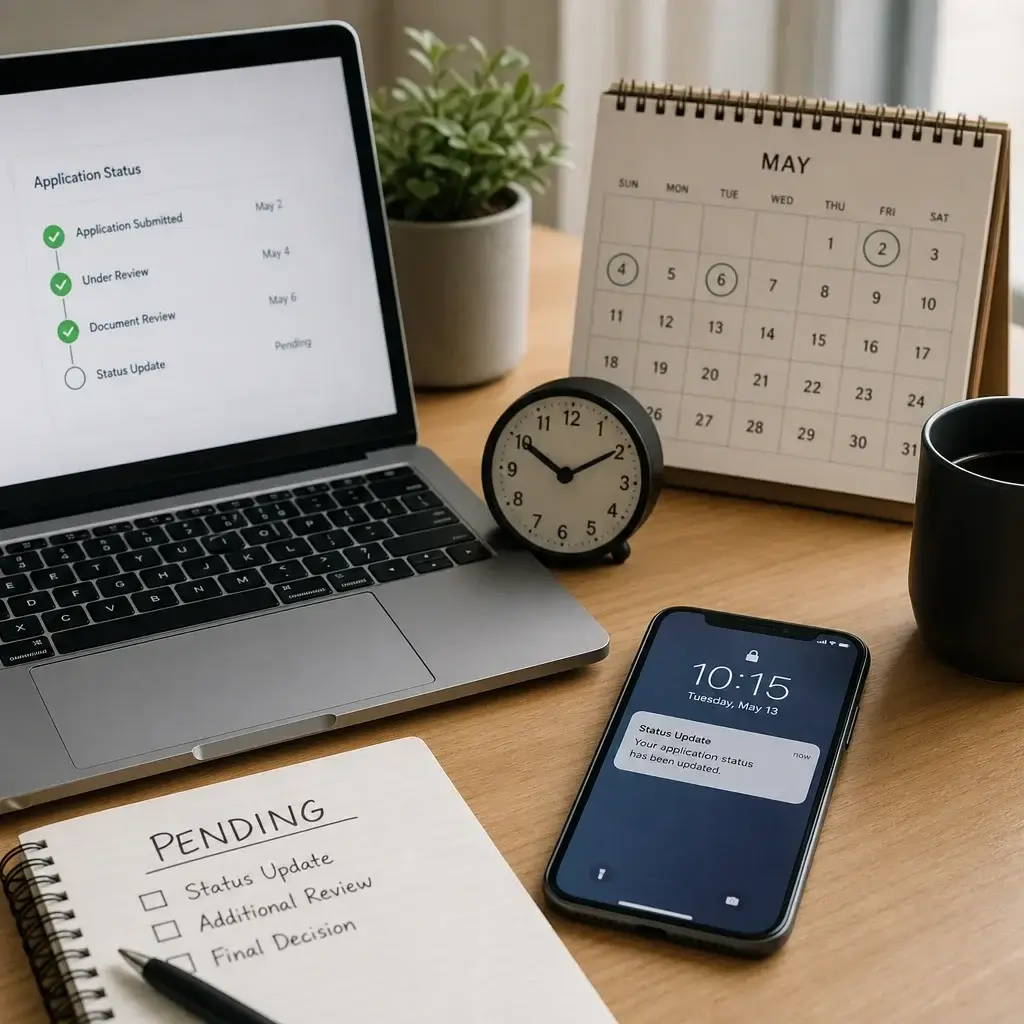
Status updates can appear later than the real processing event. IRCC systems and program trackers do not always update at the same time, and the public-facing wording may lag behind the officer’s actual work on the file.
The timing depends on named factors, not randomness. Stream type, office workload, biometrics linkage, medical uploads, document review, weekends, holidays, and system synchronization all affect when you see a visible change.
You should separate a status tracker from the official processing-times tool. They answer different questions. A tracker shows what the account displays. A processing-times page gives a general service estimate for that stream, not the exact age or health of your own file.
No visible update can still be normal when the file remains within posted processing expectations and no request has been missed. Longer silence deserves a follow-up when the file is well beyond the normal range for that stream, a passport is missing, or a work, travel, or family deadline is colliding with the delay.
Why Canadian Immigration Applications Get Delayed
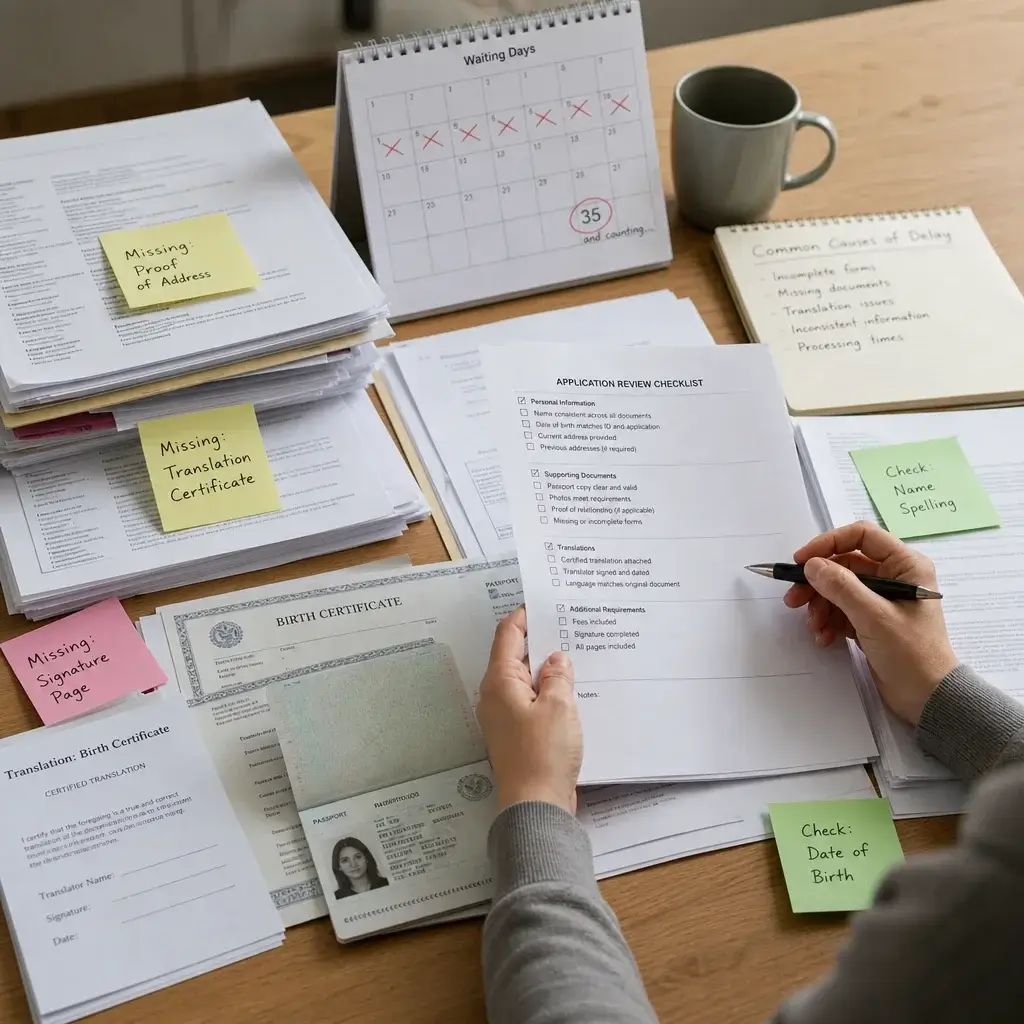
Canadian immigration applications get delayed most often because the file is incomplete, inconsistent, or waiting on a verification step outside the applicant’s control. That includes missing signatures, missing fees, unclear civil documents, translation problems, background checks, medical issues, biometrics issues, office transfers, and requests for more documents.
Family-status documents cause real trouble in a surprising number of cases. Divorce records, custody documents, adoption papers, dependent child evidence, and consent issues can slow a file because they affect legal relationships and admissibility-linked facts, not just paperwork neatness.
A delay does not automatically point to refusal. Some delays are procedural. IRCC may need clarification, inter-office review, or document confirmation before moving to the next stage.
You should pay close attention to translation quality and document consistency. A birth certificate, passport, marriage document, and application form must tell the same core story. One mismatch in a date, spelling, or family relationship can trigger a request that stalls the file.
How to Avoid Delays Before and After You Apply
You reduce avoidable delay by filing a complete, consistent, readable application and then responding fast to every official request. No trick beats clean preparation.
Use this checklist before and after submission:
- Include every required form and signature for the stream.
- Pay the correct fee and keep proof of payment.
- Upload or submit legible copies.
- Use proper translations where required.
- Keep names, dates, addresses, and family details consistent across all documents.
- Answer truthfully and do not hide refusals, past applications, or family facts.
- Keep copies of everything submitted, including screenshots and confirmations.
- Monitor email, spam folders, the IRCC account, and any program-specific tracker.
- Report required changes in address, marital status, family composition, birth of a child, or other material facts when the stream requires it.
- Reply to document requests exactly as instructed and before the deadline.
You should treat post-submission changes as serious events, not side notes. A new marriage, separation, child, address change, criminal charge, or passport replacement can affect processing and must be handled properly where the rules require disclosure.
Legal review is most useful before filing in complex cases. Sponsorship history, refusals, custody issues, prior overstays, medical concerns, and urgent work permit timing problems are the cases where a second set of trained eyes prevents damage.
Can You Speed Up an Immigration Application?
No lawyer or representative can guarantee faster processing or approval. That is the clear answer.
You can still reduce avoidable delay by filing correctly, responding quickly, and giving the right evidence the first time. That does not move you to the front of the line by magic. It removes self-inflicted slowdown.
Urgent handling exists only in limited official situations where IRCC provides a lawful path for it, and the criteria depend on the stream. If you think your case is urgent, check the current IRCC instructions for that program instead of trusting forum folklore.
A lawyer helps by reducing risk, not by queue-jumping. Good counsel can organize evidence, spot contradictions, prepare a strong response to a fairness concern, and keep a time-sensitive file from drifting into preventable refusal territory.
What to Do If Your Status Shows No Update, Looks Stuck, or Something Seems Wrong
You should verify the right system first, because half of “stuck” cases are really tracking mistakes. Confirm whether you should be checking an IRCC account, an IRCC application status tracker PR tool, a citizenship application tracker, a client application status page, or VAC tracking.
You should verify your identifiers next. Check the application number, UCI, date of birth, passport details, and name format against the original file. One wrong field can block the result or link the wrong expectation to the wrong system.
You should then review every recent message and letter. An account that looks idle may still contain an unanswered biometrics request, medical notice, document request, or passport instruction.
You should compare the file against official processing expectations for that specific stream before escalating. A file that is still within the normal service range may simply be quiet. A file far outside the normal range, or one involving a missing passport or urgent work or family consequences, deserves active follow-up.
You should contact IRCC for IRCC-side status problems and the VAC for VAC-side passport or document movement problems. Use the official contact path listed for your stream or centre. Do not send the same panic message to every address you can find online.
You should seek legal advice when the problem includes a fairness concern, a refusal risk, repeated unexplained inactivity far beyond normal times, a sponsorship complication, a missing child or custody document issue, or overlap with expiring work authorization. That is where an immigration lawyer Toronto applicants trust can make the process clearer, even without promising a faster result.
If you are in Toronto or the GTA and the file is delayed, confusing, or tied to urgent family or work consequences, Sutton Law can assess the record, identify missing evidence, and help you choose the next lawful step. The point is not a false promise. The point is a cleaner strategy and responsive support.
What Happens After a Decision: Approved, Refused, or Passport Request
Approved means the application succeeded, but the practical next step depends on the stream. One file may move to portal or confirmation steps. Another may involve a visa counterfoil or passport return process. Another may lead to permit issuance instructions.
Refused means IRCC made a negative decision and the reasons should be set out in a refusal letter or notice. The next move is to read that letter carefully, not to rely on a one-word tracker label.
Passport request means IRCC needs the passport-handling step for streams where that process applies. It is important, but it is not the same as full immigration status in Canada or completed landing.
If a VAC handled the passport, the VAC often plays a post-decision logistics role in return or collection. That is a document-handling function. The legal meaning of the decision still comes from IRCC’s formal communication.
Use this simple next-step guide after a decision:
- Approved: follow the exact issuance or confirmation instructions and check all deadlines.
- Refused: read the refusal reasons, preserve all correspondence, and assess whether reapplication, reconsideration, or appeal-related advice may be needed.
- Unclear outcome: wait for the formal letter if the tracker changed first, then match the next step to the actual notice.
If the result is a refusal, an unusual delay after decision, or a procedural fairness concern, Sutton Law offers free assessments for people in Toronto/GTA and for remote clients who need structured legal guidance. No one can promise approval. Good help can still stop a bad file from getting worse.
When to Contact an Immigration Lawyer About a Status Problem
You should contact a lawyer when the status issue is no longer just a login annoyance and has turned into a legal or strategic problem. That includes urgent family reunification issues, repeated delays tied to disputed documents, refusals, fairness letters, sponsorship complications, dependent child or custody issues, and work permit expiry overlap.
A lawyer can review the application history, identify missing evidence, explain what the status message does and does not mean, and prepare the next response. That matters when the risk comes from legal consequences, not just uncertainty.
A representative cannot guarantee faster processing. I take a hard line on that. In any regulated system, false certainty costs people money and time.
If you need help understanding canadian immigration application status updates, sorting out a delayed PR file, handling a sponsorship problem, or responding to an unusual IRCC request, a focused legal review can be worth it.
FAQ
How do I track my immigration application in Canada?
You track it through the official system linked to your stream and submission method: an IRCC account, a program-specific tracker such as a PR or citizenship tracker where available, or VAC tracking for passport or document movement.
How do I check my Canadian immigration application status online?
Use the same official portal tied to the file. For many online applications, that means signing into your IRCC account. For some streams, you may need a dedicated tracker instead.
Can I track my visa application process through VFS or a VAC?
Yes, if a VAC handled your passport or package. VAC tracking usually shows document movement or handling status, not the full IRCC decision process.
What is the difference between VAC tracking and IRCC status tracking?
IRCC tracking focuses on the immigration file and requests. VAC tracking focuses on passport or document movement through the centre.
Can I check IRCC application status with my application number?
Sometimes, yes. The exact tool decides that. Some tools accept an application number with matching personal details. Others require a UCI or a full account login.
What is a UCI and where can I find it?
A UCI is your Unique Client Identifier with IRCC. You can often find it on past IRCC letters, confirmation emails, permits, visas, or in your online account.
How do I link a paper application to my IRCC account?
Use the account linking function and enter the file details exactly as they appear in the paper application. If it fails early, the file may not yet be entered in the system or your details may not match exactly.
Why is my Canadian immigration application status not updating?
Status pages can lag behind real processing. Delays in visible updates can come from stream type, office workload, biometrics or medical linkage, document review, and system sync timing.
How long does it take for IRCC status updates to appear?
There is no one timeline across all streams. Status tools update at different times, and public status pages may lag behind actual processing steps.
What does “in progress” mean on an IRCC application?
It usually means the file is being processed in at least one part of the system, but it does not reveal the exact internal stage.
What does “decision made” mean on a Canadian immigration file?
It means a formal decision exists, but you still need the actual letter or notice to know whether the result was approval, refusal, or a procedural outcome in that stream.
What should I do if my PR application status is stuck?
Check the right tool first, confirm your identifiers, review all messages, compare the file to official processing expectations, and then use the correct official contact path if the delay looks abnormal.
Can a lawyer speed up my immigration application?
No one can guarantee faster processing or approval. A lawyer can reduce avoidable delay by improving completeness, strategy, and responses to IRCC.
What should I do if my application is refused or delayed for an unusually long time?
Read every formal notice, preserve your records, and get case-specific advice if the problem involves refusal reasons, fairness concerns, urgent deadlines, sponsorship complications, or major family or work consequences.
Next season on my own side, I would test a better record sheet before I test a new treatment. Immigration files are similar. Good tracking starts with clean records. If your status message still makes no sense after the official tools, get the file looked at before the problem hardens.